
We’ve made it easier to manage your home online.
The portal gives you a straightforward way to get things done without needing to call us. You can keep track of what’s happening, see updates in one place and manage things in your own time. You can still get in touch with us in the usual ways. The portal just gives you another option.

What you can do in the portal


Getting started
Getting set up is quick:
- Head to the portal
- Register using your email address linked to your account
- You’ll then get an email to verify your account and set your password
Once you’ve finished setting up your account, you can start using the portal straight away!
Help using the portal
If you're having trouble getting into the portal, these quick checks often help.
Things to try first
Before contacting us:
- Check you're using the right email address (the one linked to your account)
- Make sure you're connected to Wi-Fi or mobile data
- Try using a different browser or device
- Look at our FAQs below or use our log in video below
- If you've entered your password incorrectly five times then you'll need to wait 30 minutes.
When to get in touch
Please get in touch if:
- The lockout time has passed
- You've successfully completed the password reset but still can't access your account
- The details showing on your account aren't yours
Need help getting started?
If you need help setting up your account or resetting your password, you can watch this video on YouTube or watch it below.
How to register and log in to the portal
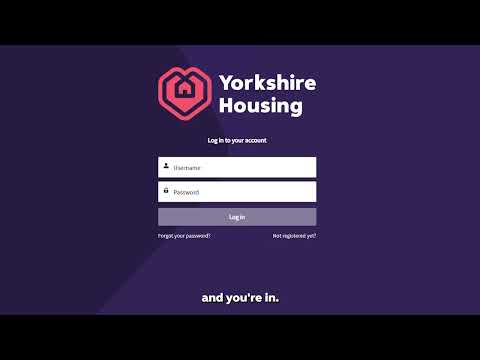
How to register and log in to the portal
FAQs - getting started, logging in and password help
To register for an account, go to the customer portal registration page.
You’ll need to:
- Fill out your personal details, making make sure you use the email address linked to your account
- Verify your account using a code we send to your email - this helps us to make sure it's you
- Create a password once your email has been verified
Your password must:
- Be at least 12 characters long
- Include upper and lower‑case letters and numbers
Once your password is set, you’ll be able to start using the portal straight away.
If you need help setting up your account, you can watch our how‑to video.
You’ll need to:
- Fill out your personal details, making make sure you use the email address linked to your account
- Verify your account using a code we send to your email - this helps us to make sure it's you
- Create a password once your email has been verified
Your password must:
- Be at least 12 characters long
- Include upper and lower‑case letters and numbers
Once your password is set, you’ll be able to start using the portal straight away.
If you need help getting into your account, you can watch our how‑to video,
- Make sure you've set up an account, if not, head to 'register for an account'.
- Check the email address matches the one linked to your account.
- Check if your account has been temporarily locked after a five unsuccessful login attempts. If this is the case, you'll need to wait 30 minutes before trying again.
No problem, it happens! When you visit the portal log in page, you’ll see a “Forgot your password?” link. Click that, enter your email address and follow the steps.
We’ll check it’s really you by asking to send you a one-time security code. When you’ve entered this code correctly, you’ll be able to set a new password.
- You might not get the password reset email because the email you entered doesn’t match the one on your account.
- Make sure to check your junk or spam folder
- Give it a few minutes, depending on your Wi‑Fi or internet connection, it can be a bit slow for the email to arrive in your inbox.
It’s most likely that there have been too many incorrect login attempts – the account gets locked to keep your information safe. If this happens, you’ll need to wait 30 minutes before trying again.
Adding a trusted device to your account makes logging in to the customer portal quicker and easier.
When you log in, we’ll ask you if you want to set up a trusted device. To set this up, just tick “Skip the security code next time” when you’re asked for your security code. That’s it.
The portal will then remember your device and browser for the next 60 days, so you won’t need to enter a security code every time you log in. It’s safe to use on a device that only you use, but we wouldn’t recommend it on shared or public computers, like a library or a friend’s device.
You might be asked for a security code again if you change what browser or device you are using, clear your cookies, use a private or incognito window, or haven’t logged in for a while. This is normal and helps protect your information.
If you ever want to remove trusted devices, you can do this by logging in to the portal and going to My details, then Personal details, and turning off the trusted browser setting. This removes all trusted devices and browsers from your account, and you’ll be asked for a security code the next time you log in.
FAQs - using the portal
You can check and pay your rent, report repairs, track your requests, update your personal details and find helpful information, all in one place. We’ll be adding new features regularly too.
Yes. If you’ve reported a repair or have an open case with us, you can keep track of it in the portal. You’ll be able to see updates, check your appointment details and follow what’s happening, all in one place. If you need to send us more information, you can do that there too.
You can still send us a message – it’s just moved to a new place. You’ll now find it under ‘Ask us a question’ on the home page.
The new look now lets you pick a category that best fits your message, and if none of them feel right, you can choose ‘something else’. You can also now upload documents with your message if you need to. Once you’ve hit send, you can check the status and details of your message under ‘View my cases’.
The information is the same, but smaller screens can change how it’s displayed. You might need to scroll or expand sections to see everything.
Yes. Your information is kept secure and the portal includes extra steps to help protect your account. We’ll never contact you asking for your password.
Customer feedback and testing have helped us build the portal in a way that’s easy to use, but if you’re struggling it’s not a problem. If you’re having trouble logging in or registering for an account, you can watch this video for help.
And if you’re still struggling, that’s okay! You can give us a call and we’ll help you do what you need to do, or support you in getting set up.
Can I still get in touch with Yorkshire Housing another way?
Of course! You can still call us or get in touch in the usual ways. The portal simply gives you another option to manage your home and contact us online.
If you're not confident using online services, that's absolutely fine. You can call us on 0345 366 4404 and we'll help you get things sorted.
Ready to get started?
